Calem Blogs

Blogs of CalemEAM
Aug
05

Steps to Remove Work Permits in Calem


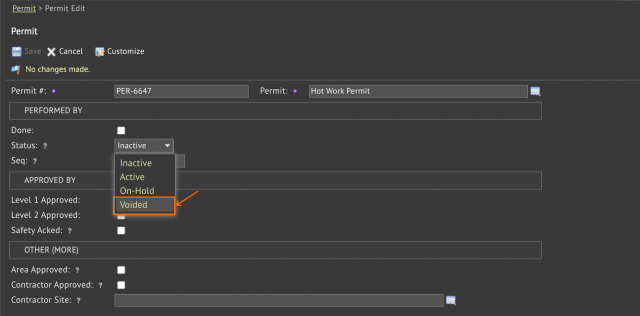
A permit deletion process is added in the coming release of R2026e. There are cases that a permit added turns out to be incorrect later. Here are the steps to delete a permit: A new status "Voided" is added to make a permit voided. Only users with level 1 or level 2 permission for a permit can change its permit status to "Voided...
Continue reading
  24 Hits
Tags:
24 Hits
Aug
02

Merging Duplicate Users in Calem


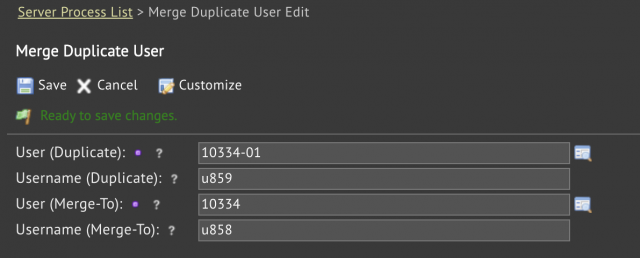
A process to merge duplicate users is available in the coming release of R2026e. It allows admin users to merge duplicate users into valid users.  Menu: Admin | Open | Server Processes | Merge Duplicate userSelect a duplicate user and the user to be merged intoClick "Save" to complete the merging process.The status of duplicate user is se...
Continue reading
  81 Hits
81 Hits
Aug
01

Introducing Item Sets in Calem


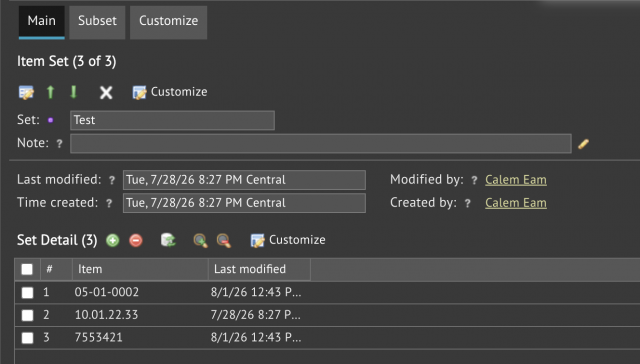
Item sets will be available in the coming R2026e release. An item set consists of item codes and other item sets. Items can be tracked and analyzed easily by item sets in KPIs and list views. Menu: Dashboard | Open | Item Set (screenshot below). Use this menu to manage item sets.Dashboard | Purchase KPI - use item sets to analyze prices a...
Continue reading
  95 Hits
Tags:
95 Hits
Jul
20

Project Tip: Filtering Projects for Last Modified


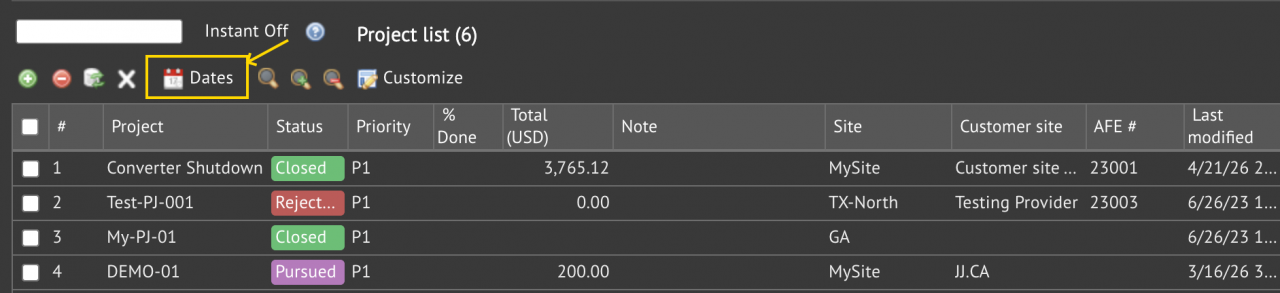
Project filtering by "Last modified" is available in the coming release of project and report.  It is the "Dates" menu in project list and report (Project | Report | Project List).Select a date range, or populate a custom range, click "Save" to apply filtering.To remove date range filtering, click "Search Clear".Additional filtering (such...
Continue reading
  320 Hits
Tags:
320 Hits
Jul
14

Introducing AI-Powered Part Search by Picture


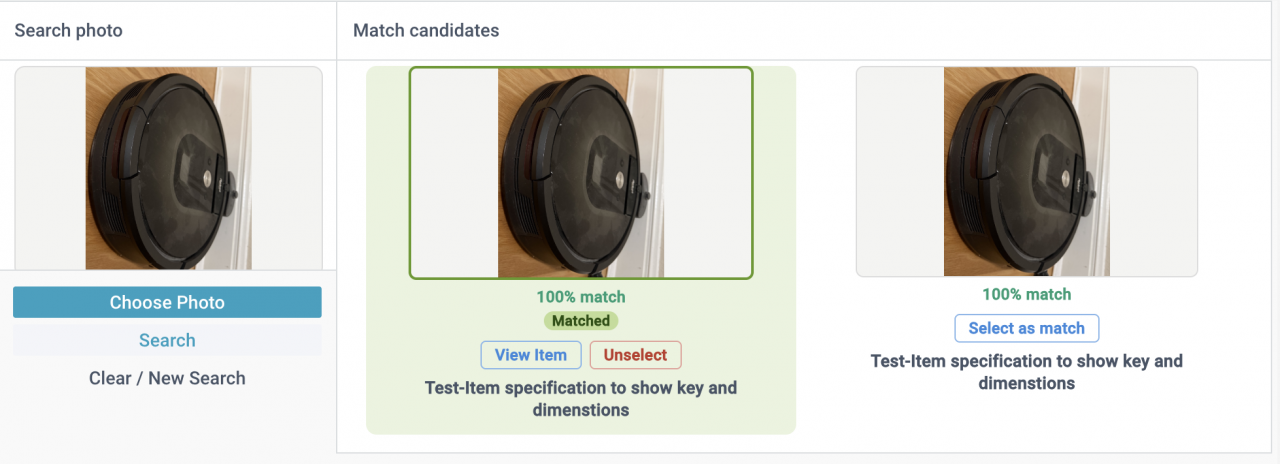
Part search by picture is enabled by powerful AI computer vision models such as DINOv2 by Meta AI. Here are the steps to perform a part search by picture in Calem. Menu path: Inventory | Open | Item by PictureA user takes a photo of a part and uses it in part search (screenshot below). The input photo is compared against all the...
Continue reading
  353 Hits
353 Hits
Jun
17

Introducing Data Change Logs


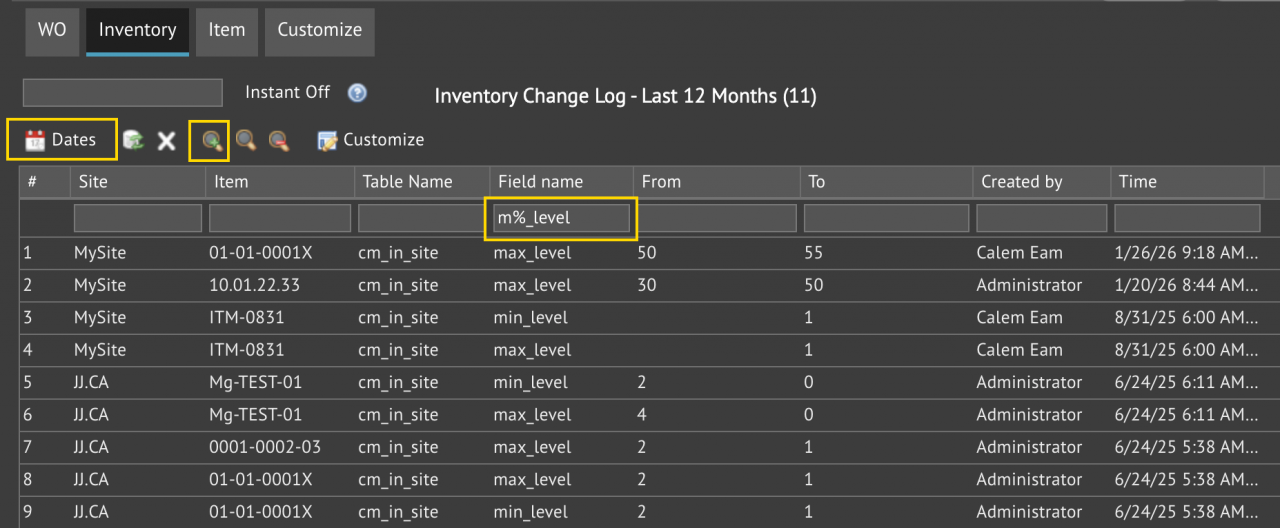
A new form of data change logs is available in the coming release of R2026d (June 2026). One can review data changes by time and fields. For instance, the screenshot below shows changes of minimum and maximum stock levels in inventory for the past 12 months. Menu path: Admin | Report | Data Change Log.The form include changes lo...
Continue reading
  641 Hits
Tags:
641 Hits
Jun
15

When to Use the "Create Closed WO" Menu Option


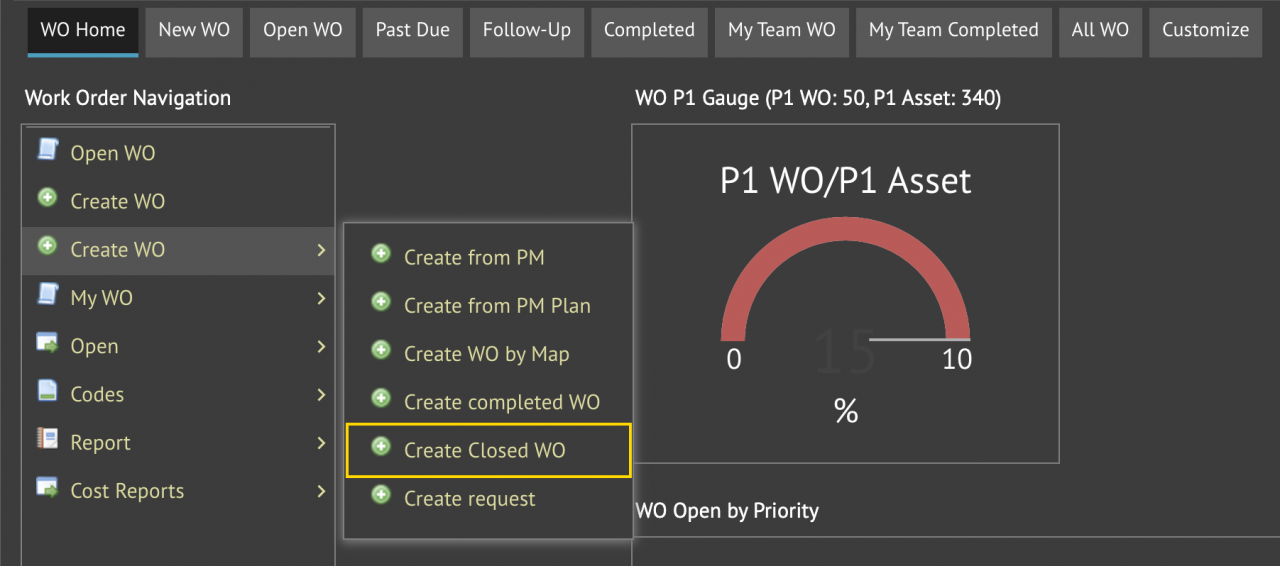
A new menu "Create Closed WO" is available in the coming release of R2026d (June 2026). The menu may be used to create work orders that have been completed and reviewed. There is no need to review these work orders. Calem will close them in a few days. Menu path: Work Order | Create WO | Create Closed WOA work order is created in complete...
Continue reading
  604 Hits
Tags:
604 Hits
Jun
11

Transform Calem Data into Dashboards with Power BI


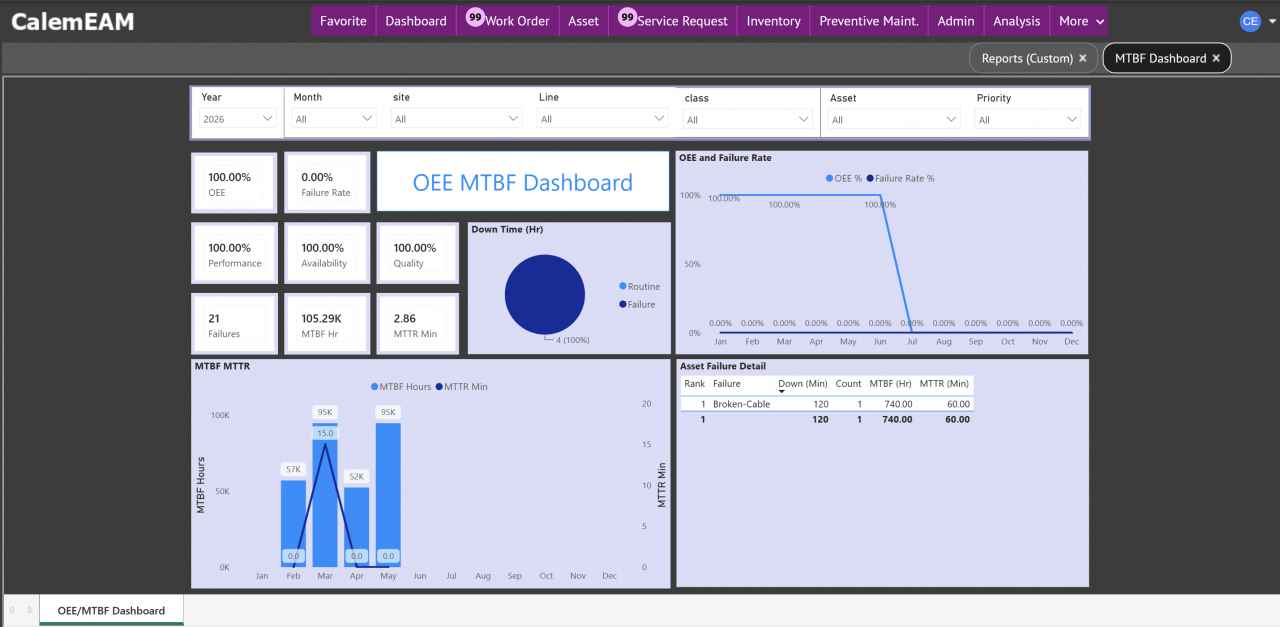
A Power BI dashboard is available for OEE (Overall Equipment Effectiveness) and MTBF (Meantime Between Failure) in the coming release of R2026d (June 2026).  Power BI is Microsoft's business intelligence (BI) and analytics platform. The dashboard can be deployed in Power BI service and surfaced inside Calem.The screenshot below shows...
Continue reading
  2413 Hits
Tags:
2413 Hits
May
25

Upgrade to PHP 8.3 for Calem Enterprise


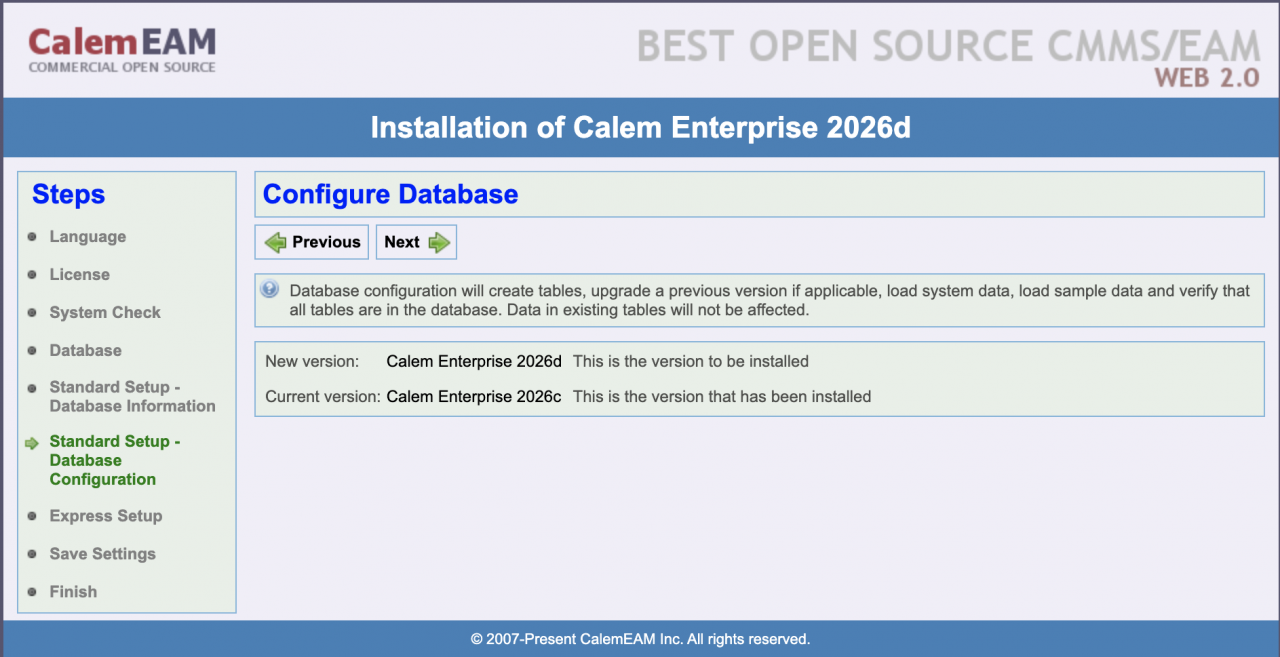
The support of PHP 8.3 is available in the coming release R2026d. Customers of on-premise implementation can download the release when it is available (June 2026). The release archive will have "php83" in it such as "CalemEnterprise_2026_ioncube.php83.tar.gz" here (customer account is required). This blog walks through the upgrade pr...
Continue reading
  840 Hits
Tags:
840 Hits
May
10

Calem Integration 4b: Integrating Work Orders with ArcGIS


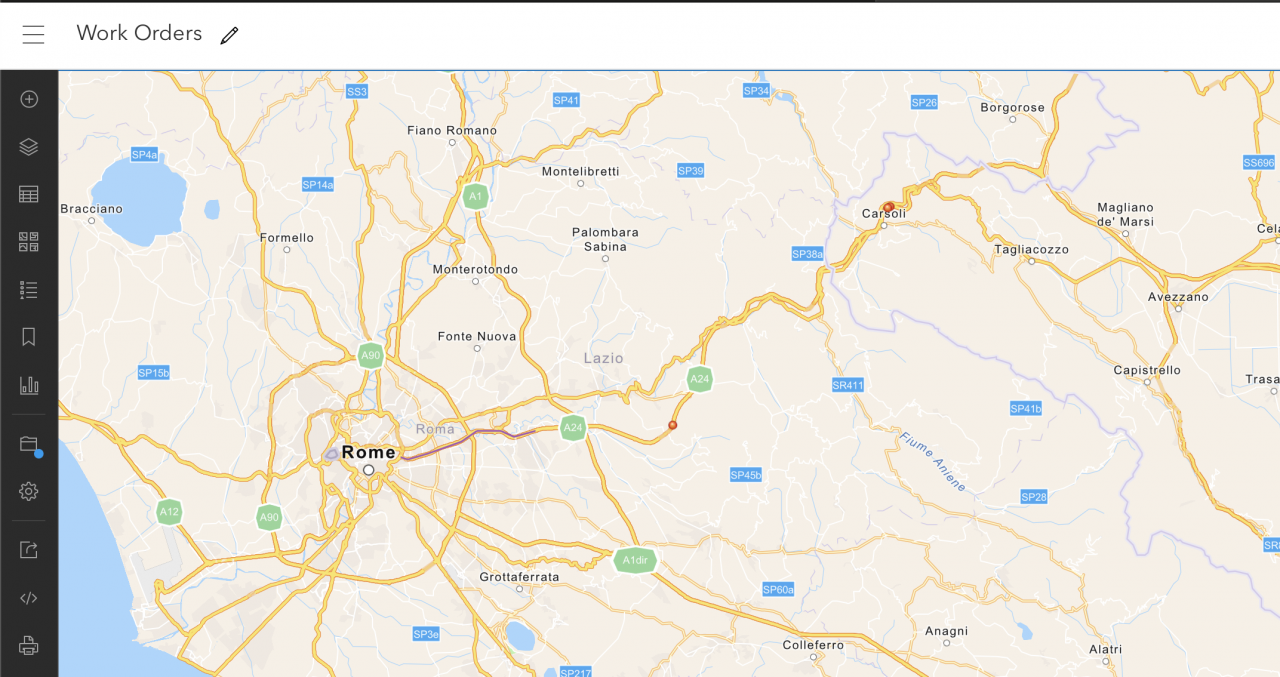
A plugin is available to integrate work orders into Esri ArcGIS for analysis and reporting in R2026c release (May 2026). The metadata and GIS data of work orders are added to ArcGIS via API. For instance, the map below shows red dots and a segment in purple for maintenance work performed in a roadway. 1. Feature L...
Continue reading
  912 Hits
Tags:
912 Hits
May
08

Introducing Linear Asset Dynamic Segmentation with Maps


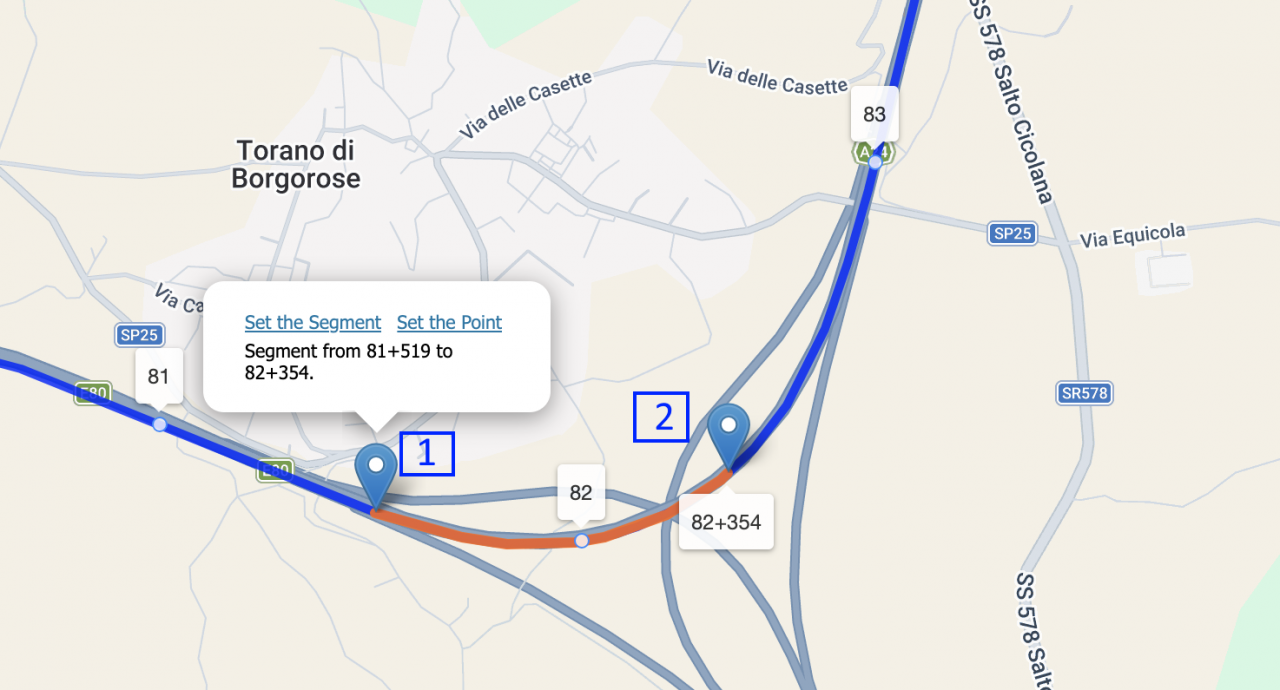
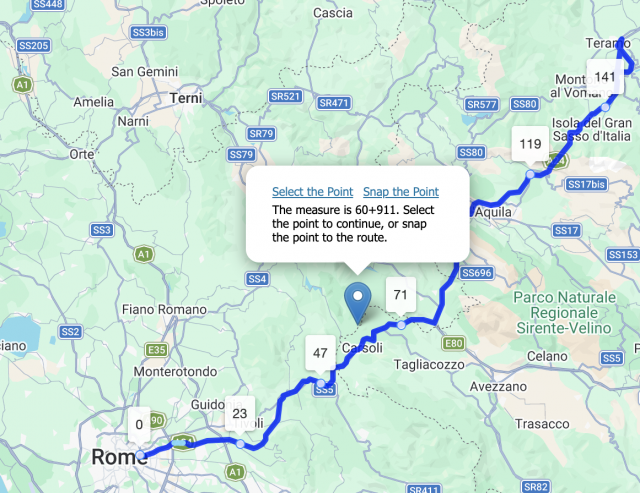
Dynamic segmentation of linear assets is available in release R2026c (May 2026). A user may visually select a segment of a roadway from a map based on the geospatial framework in Calem (see this blog for more info). The steps below demonstrate the creation of a service request (SR) for a segment for a roadway. Launch an SR reporting at menu:&n...
Continue reading
  953 Hits
Tags:
953 Hits
May
05

New in Calem: Vehicle Asset Management


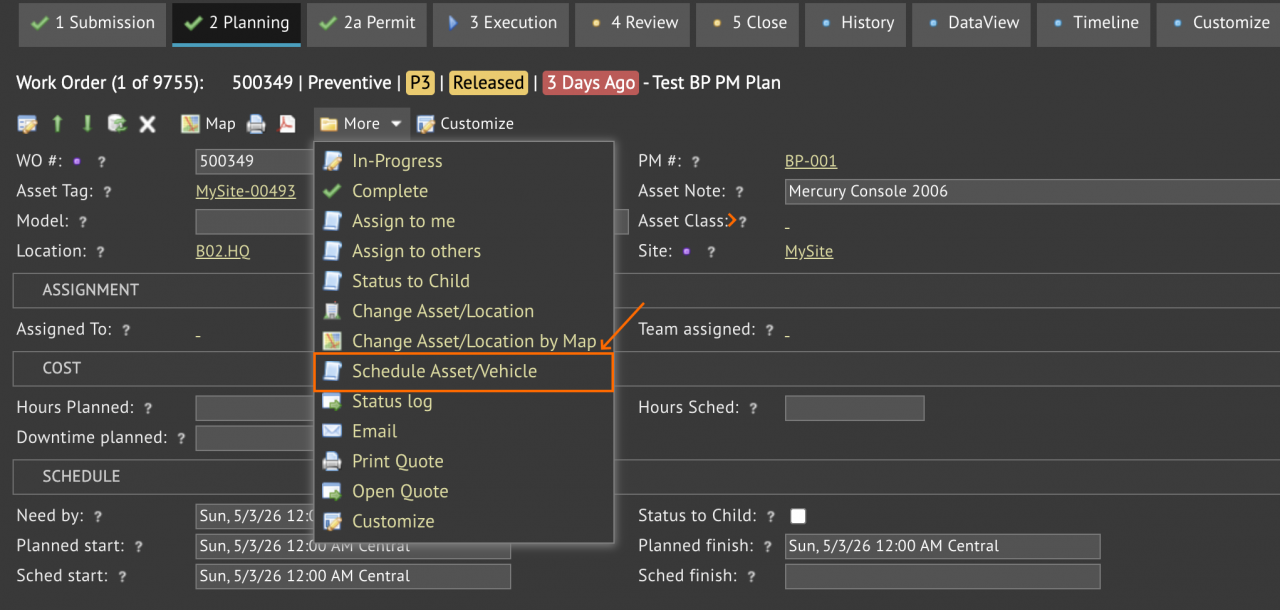
Vehicle assets will be available in the R2026c release (May 2026). This update enables the integration of vehicles into standard work order workflows. A vehicle asset may be scheduled for a work order. Add a vehicle schedule at "Planning" tab: More | Schedule Asset/Vehicle (screenshot below).A message window is shown if there is...
Continue reading
  1168 Hits
Tags:
1168 Hits
May
01

Bringing a Geospatial Framework to Linear Assets


A geospatial framework is introduced for linear asset management in the coming release of R2026c (May 2026).  Linear assets are of significant length like roadways and pipelines. For instance, a user reports a problem by dropping a pin in a map and pinpointing the location of issue visually in a highway. The coord...
Continue reading
  1021 Hits
Tags:
1021 Hits
Apr
02

New Feature: Enhanced Work Order PDF Generation


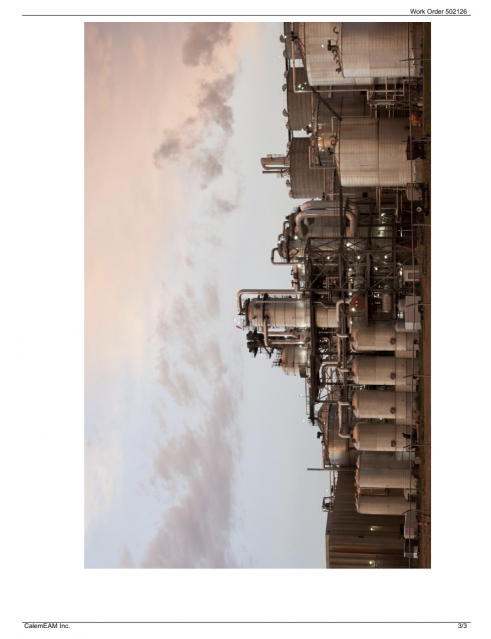
An enhancement to WO PDF generation will be available in the coming release of Calem R2026b (April 2026). PDF attachments to a work order will be included in a generated work order PDF doc while preserving their document sizes and drawing precision. Here is a summary of the options for WO PDF generation in Calem: ...
Continue reading
  1189 Hits
1189 Hits
Mar
30

Inventory Tip: Physical Count for Serialized Parts


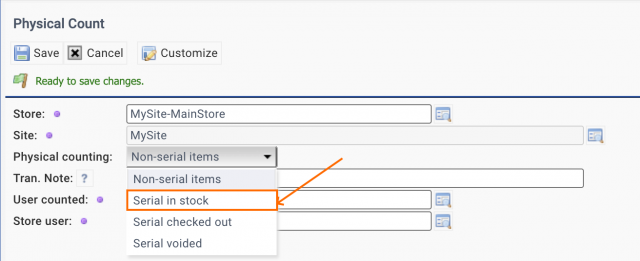
Serialized parts are tracked individually in inventory by serial numbers. Physical count transactions may be used to add serialized parts in inventory. A transaction can be done individually (Inventory | Transactions | Physical Count). Alternatively, the transactions can be done in batch by excel file upload (Inventory | Tr...
Continue reading
  1128 Hits
1128 Hits
Mar
24

Printer Settings Tip: Work Order Print Customization


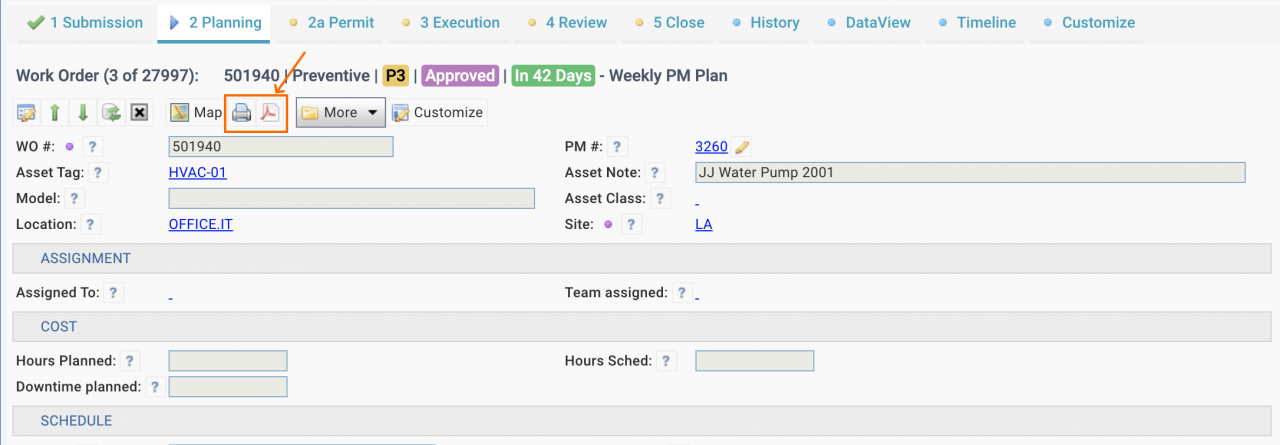
A work order print can be launched from a PDF or print button in work order forms (e.g. screenshot below). A print preview screen is displayed when printing from a Chrome browser (next screenshot). At the top right of the print preview page (screenshot above), there is a printer icon. Click the printer icon - a print setting&nbs...
Continue reading
  1220 Hits
1220 Hits
Mar
24

Item List Tip: How to Check Photo Attachments in Items


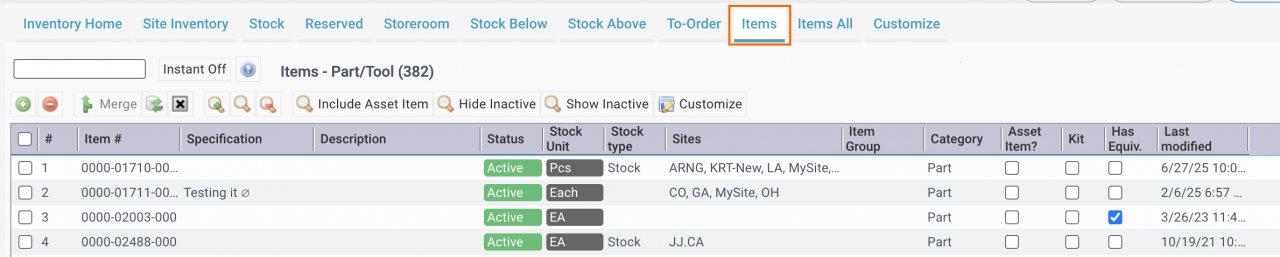
A photo may be attached to an item for inventory search and verification. There is a quick way to verify if a photo is attached to an item from the Items list (screenshot below) at (Inventory | Home | Items Tab).  The first step is to Right-click inside the caption row of the list (#, Item #, Specification, ...) to add "Photo" c...
Continue reading
  1083 Hits
Tags:
1083 Hits
Mar
16

New Feature: Process Steps for Changes (MOC)


Process steps defined in a PM Plan may be associated with a class of change requests (screenshot below). When a new change request is created, pre-defined steps in the associated PM Plan of a change class or its parent class is copied over to the change created. The feature facilitates the standardization of change processe...
Continue reading
  1086 Hits
1086 Hits
Mar
13

Introducing Object-Level vs Record-Level Permissions


Object-Level Permission grants users with access to edit menu (create, edit, delete) to perform edit actions on all records accessible. Record-Level Permission restricts editing actions to selective users. For instance, with record-level permission, an error message may show (screenshot below) when modifying statuses of four work ord...
Continue reading
  1359 Hits
Tags:
1359 Hits
Mar
09

Calem Debug Tip: Inspecting MySQL Queries in Calem Logs


Inspecting MySQL queries in Calem logs may be useful when debugging issues in Calem. Here is an example to demonstrate it. An asset reached its end of life and needs to be disposed.The asset was received to a storeroom for the disposal process. The screenshot below shows that the asset (10208) is in stock.An inventory transaction is ...
Continue reading
  1110 Hits
Tags:
1110 Hits