Calem Blogs
Upgrade to PHP 8.3 for Calem Enterprise
The support of PHP 8.3 is available in the coming release R2026d. Customers of on-premise implementation can download the release when it is available (June 2026). The release archive will have "php83" in it such as "CalemEnterprise_2026_ioncube.php83.tar.gz" here (customer account is required).
- The migration path presented in this blog is to move the current deployment to a new Calem server with Ubuntu LTS 24.04 and PHP 8.3. It keeps current service intact during migration.
- Alternatively, you may do in-place upgrade of current installation. This path may be carried out by teams based on skills and preferences.
This blog walks through the upgrade process. Customers can get in touch with Calem Team when needs arise.
- The discussion assumes that Ubuntu LTS 24.04 is used as the operating system.
- This blog is intended for system administrators of Calem Enterprise.
- There is no need for customers of Calem Cloud Service to dive into the details (handled by Calem).
- Customers of PHP 8.1 on Red Hat Enterprise Linux (RHEL) are not impacted (PHP 8.1 is supported).
Step 1. Ubuntu LTS 24.04
Assume that you have your VM (virtual machine) of Ubuntu LTS 24.04. PHP 8.3 is the default PHP version in Ubuntu 24.04. Follow Calem Enterprise Installation Guide from here (customer account required) to set up Apache 2.4.58, MySQL 8.0.45 and PHP 8.3.6 for Ubuntu 24.04.4.
Step 2. Calem Setup
Use "Chapter 4 Installation Preparation" of Calem Installation Guide to set up the following items:
- Set up "php.ini" for Apache
- Set up "php.ini" for command line
- Install required PHP libraries
- Install ionCube loaders
- Install the license file from CalemEAM
Step 3. Calem Enterprise Migration
Both the installation and database of current Calem Enterprise will need to be migrated for the new service. It is possible to reuse your current database without creating a new one for the upgrade. It is cleaner to create a new database for this discussion.
- Copy the current installation to the new server.
- Create a new database and import your current database to the new database. This new database will be upgraded to R2026d.
Step 4. Calem Enbterprise R2026d
Follow the upgrade process of Calem Enterprise Installation Guide to deploy the release of Calem Enterprise R2026d for PHP 8.3 to the current installation in the new server.
Step 5. Web Installation
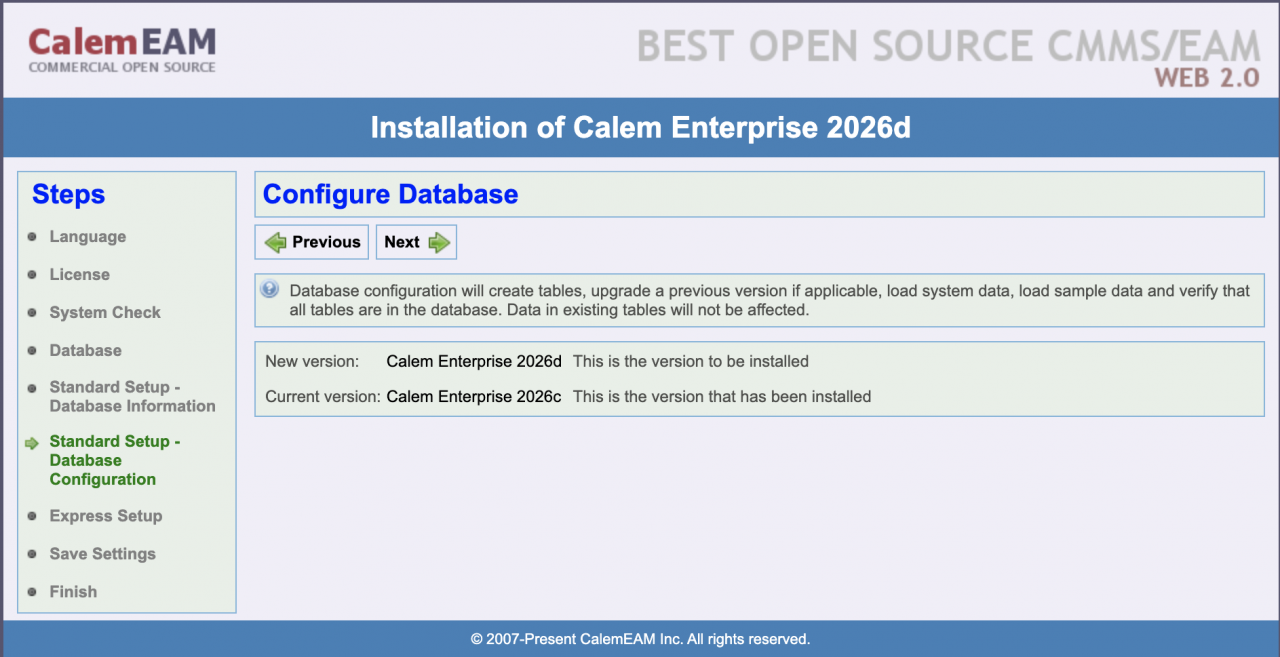
The final step is to run the web installation (see Calem Enterprise Installation Guide). Follow the steps in the Installation Guide to upgrade your current database to R2023d.
You should be all set with the PHP 8.3 upgrade.
Additional Resources
- How to Upgrade to PHP 8.1
- Calem Enterprise Installation Guide (customer account required)
- Calem Enterprise User Guide (customer account required)
- Calem Enterprise Admin Guide (customer account required)
- Calem Enterprise Training Site
- Calem Enterprise Blogs
- Calem Enterprise demo
About the author

By accepting you will be accessing a service provided by a third-party external to https://www.calemeam.com/