Calem Blogs
Calem Debug Tip: Inspecting MySQL Queries in Calem Logs
Inspecting MySQL queries in Calem logs may be useful when debugging issues in Calem. Here is an example to demonstrate it.
- An asset reached its end of life and needs to be disposed.
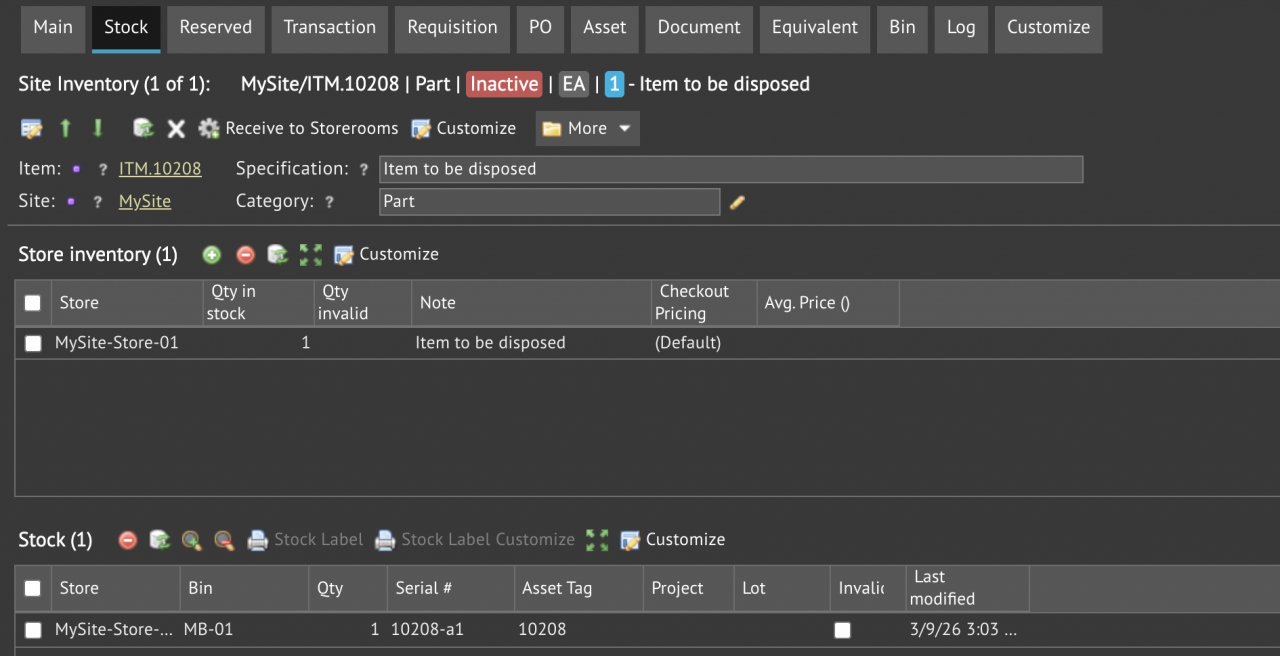
- The asset was received to a storeroom for the disposal process. The screenshot below shows that the asset (10208) is in stock.
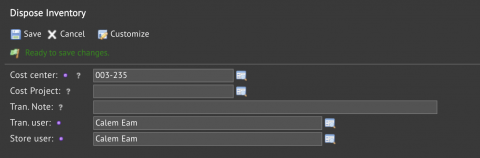
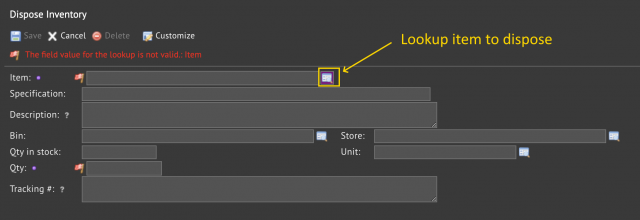
- An inventory transaction is launched to dispose the asset: Inventory | Transactions | Dispose Inventory (screenshot below).
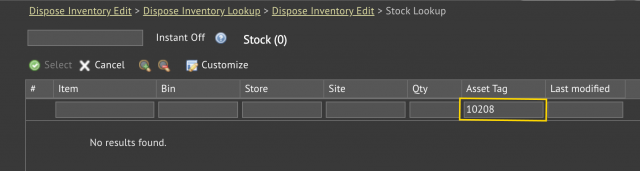
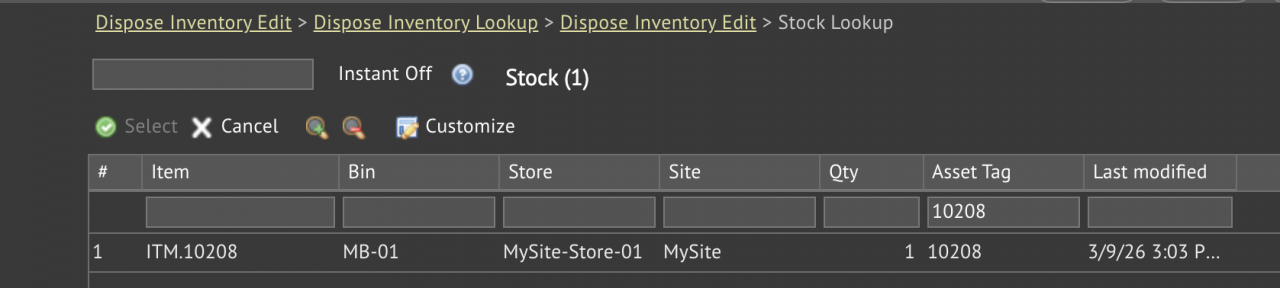
- When looking up the asset in stock to be disposed, the asset is not showing in the stock list (screenshot below).
- Click "Customize" button in the stock list to reveal the data object (cmv_in_stock) for the stock list (screenshot below). We will look for the data object in the logs for debugging later.
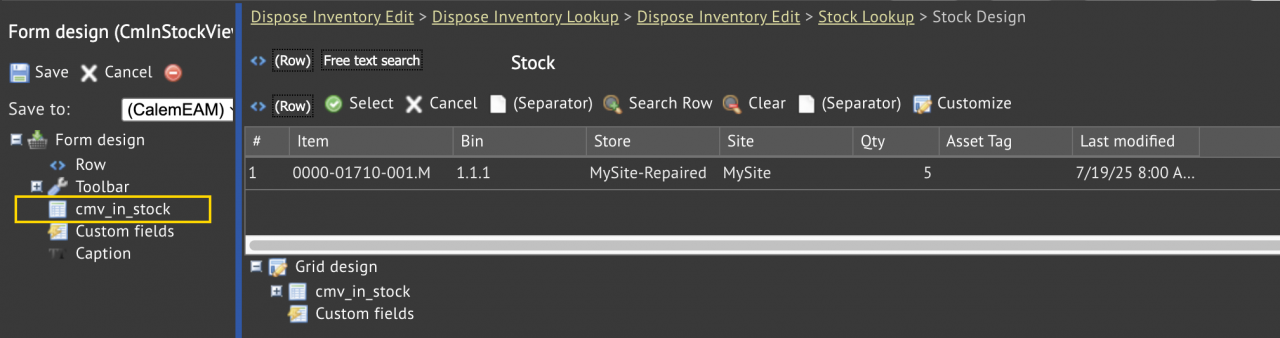
It is frustrating for end users that an asset is in stock, but is not showing in stock list for disposal. Calem logs can help in this case. Admin users can inspect queries used to show stock list for disposal. Here're the steps:
- It is good practice to do the debugging steps in a Calem Sandbox (or QA).
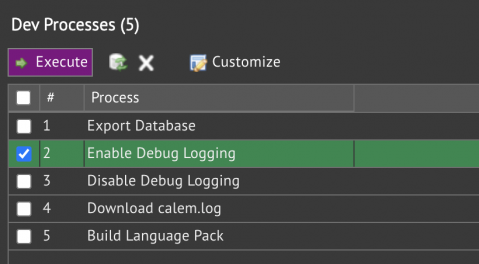
- The first step is to turn on debug logs: Admin | Open | Dev Processes (screenshot below).
- Check Enable Debug Logging and Execute it.
- Debug logging is enabled.
- MySQL queries might not be enabled - contact your Calem Team to enable it, or reference Admin Guide to enable it.
- Redo the inventory disposal transaction above till the stock list for disposal.
- Check "Download calem.log" and Execute it to download calem.log (in zip archive).
Inspecting the logs and search for the stock list (cmv_in_stock) in the log - see the code block below where record count is 0 from the query searching for "10208" in data model "cmv_in_stock".
Let's walk through the query conditions in the log:
- The category of the inventory must be Part, Consumables, service, or tool. The item is Part so it is fine.
- The status of the inventory must be Active, No Purchase, No Use, or On Hold. The inventory's status is "Inactive" (in red in the screenshot below).
- So, the Inactive status is the culprit. Setting the status of site inventory of ITM.10208 to Active fixed the issue. The asset now shows in the stock list for disposal.
WHERE cm_asset_asset_id.asset_no LIKE '%10208%'
AND ((( (cmv_in_stock.qty > 0 and ifnull(cmv_in_stock.is_invalid,0)=0) ))
AND cmv_in_stock.category_id IN ('icg_part', 'icg_csm', 'icg_service', 'icg_tool')
AND cmv_in_stock.status_id IN ('ins_active', 'ins_np', 'ins_nu', 'ins_onhold')),
2026-03-09T16:41:01-05:00 DEBUG CmPDOStatement - Query time:0.0958, the query=
SELECT count(*) FROM cmv_in_stock  LEFT OUTER JOIN cm_in cm_in_in_id
ON cmv_in_stock.in_id=cm_in_in_id.id
LEFT OUTER JOIN cm_in_locator cm_in_locator_locator_id
ON cmv_in_stock.locator_id=cm_in_locator_locator_id.id
LEFT OUTER JOIN cm_in_serial cm_in_serial_serial_id
ON cmv_in_stock.serial_id=cm_in_serial_serial_id.id
LEFT OUTER JOIN cm_site cm_site_site_id
ON cmv_in_stock.site_id=cm_site_site_id.id
LEFT OUTER JOIN cm_in_lot cm_in_lot_lot_id
ON cmv_in_stock.lot_id=cm_in_lot_lot_id.id
LEFT OUTER JOIN cm_project cm_project_project_id
ON cmv_in_stock.project_id=cm_project_project_id.id
LEFT OUTER JOIN cm_asset cm_asset_asset_id
ON cmv_in_stock.asset_id=cm_asset_asset_id.id
WHERE cm_asset_asset_id.asset_no LIKE '%10208%'
AND ((( (cmv_in_stock.qty > 0 and ifnull(cmv_in_stock.is_invalid,0)=0) ))
AND cmv_in_stock.category_id IN ('icg_part', 'icg_csm', 'icg_service', 'icg_tool')
AND cmv_in_stock.status_id IN ('ins_active', 'ins_np', 'ins_nu', 'ins_onhold')),
params=NULL
2026-03-09T16:41:01-05:00 DEBUG CmBulkFetchSo - Row count: table=cmv_in_stock, count=0
About the author

By accepting you will be accessing a service provided by a third-party external to https://www.calemeam.com/