Dynamic segmentation of linear assets is available in release R2026c (May 2026). A user may visually select a segment of a roadway from a map based on the geospatial framework in Calem (see this blog for more info). The steps below demonstrate the creation of a service request (SR) for a segment for a roadway.
- Launch an SR reporting at menu: SR | SR Home | New SR by Route.
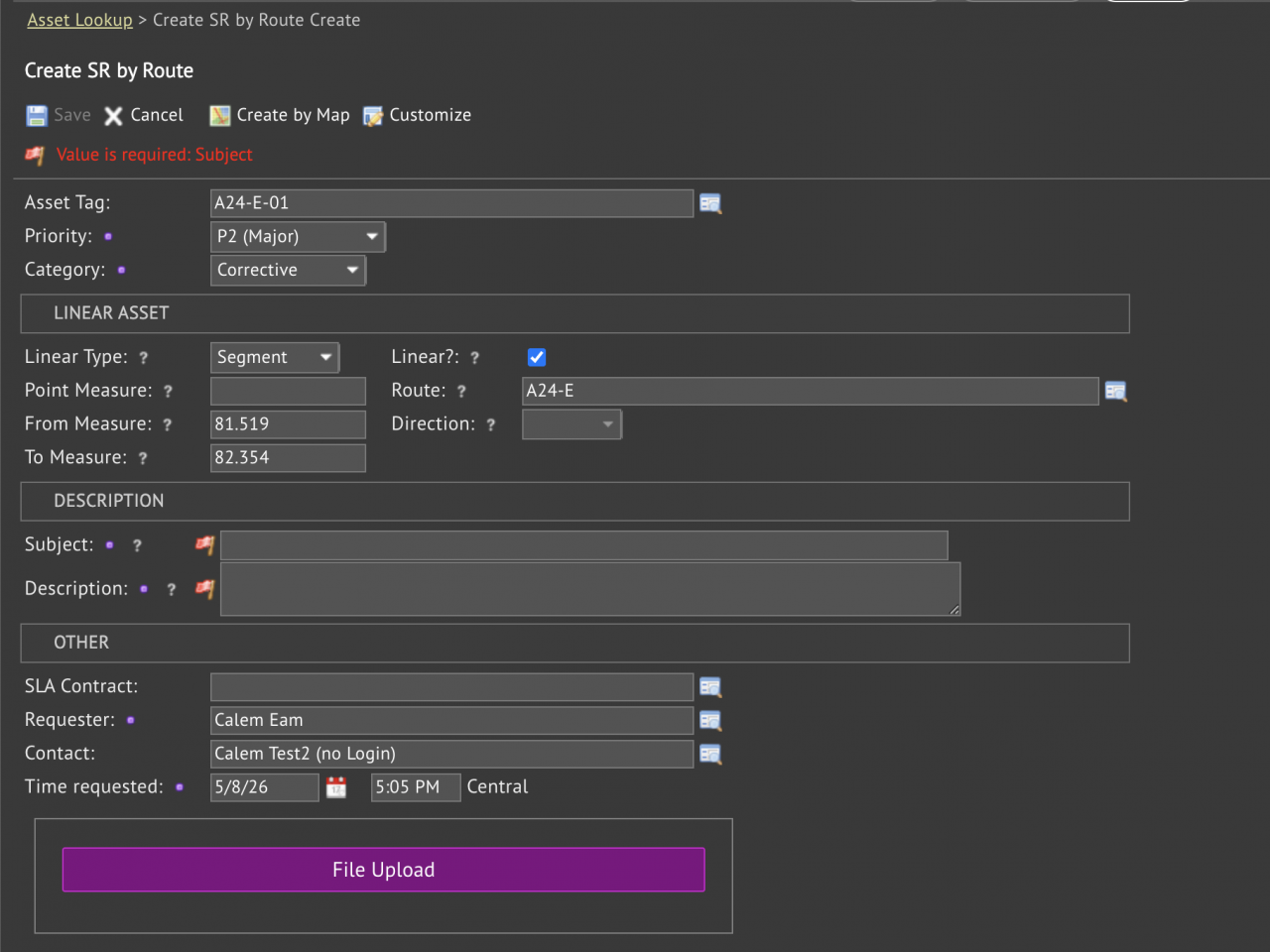
- Select a route asset, the SR creation screen is shown.
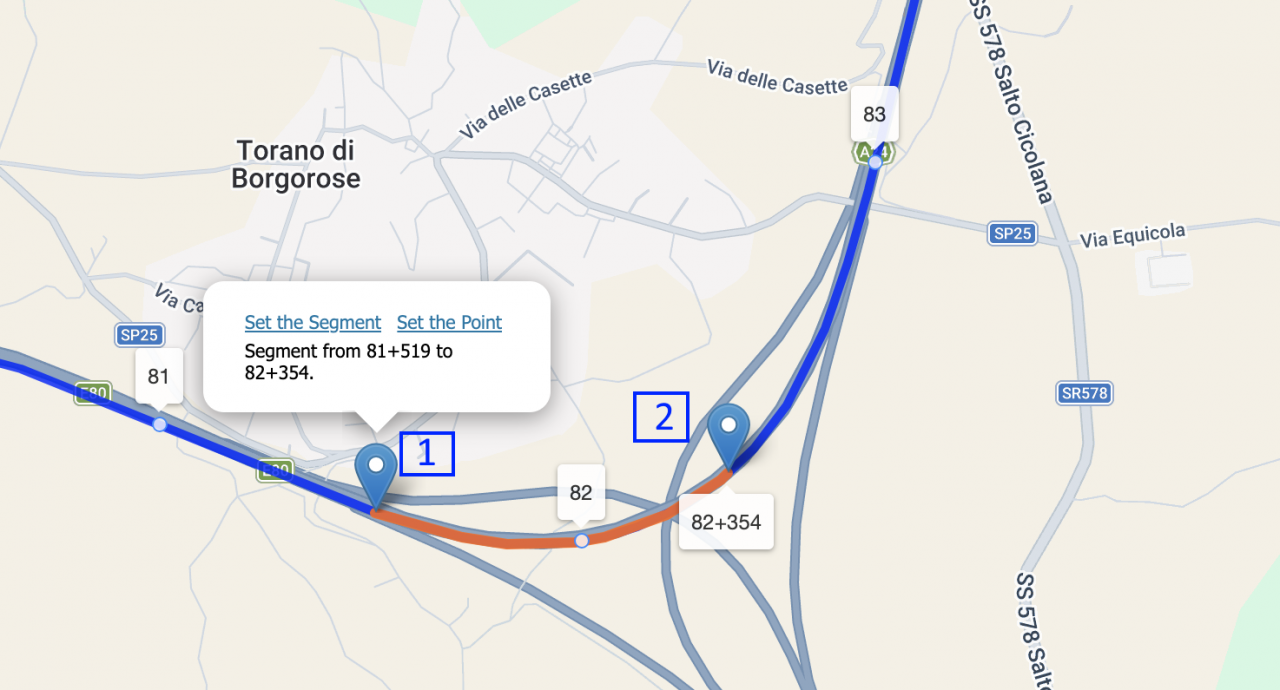
- Click menu "Create by Map" to launch a map with the route displayed with mile (KM) markers.
- Drop a pin at the start point of a segment (1 - in screenshot below)
- Drop a second pin at the end point of a segment (2 - in screenshot below).
- Both pin locations will be snapped to the route highlighted in blue.
- Pin 1 and Pin 2 may be moved around to tune the segment to choose.
- Click "Set the Segment" to use the segment for SR.
- The segment is shown in the SR creation screen (next screenshot).
- Fill out the Subject and Description of an issue to create an SR.
Additional Resources